Make Something Move
What you are about to achieve
Make a shape move across the screen so Update() becomes visible, not theoretical.
Expected result
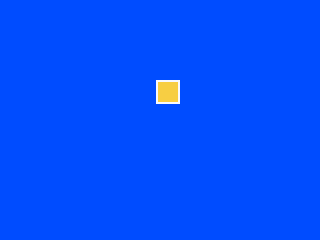
Minimal code
You are still working in examples/clearscreen/. Keep editing examples/clearscreen/main.go and keep rebuilding the same ROM from the previous steps.
This step replaces the full red screen from the previous page with a blue background and one moving yellow box.
type Game struct {
	x int
}

func (g *Game) Init() {}

func (g *Game) Update() {
	g.x++
	if g.x > 287 {
		g.x = -24
	}
}

func (g *Game) Draw() {
	gosprite64.ClearScreenWith(gosprite64.Blue)
	gosprite64.FillRect(g.x, 80, g.x+23, 103, gosprite64.Yellow)
}
Replace the Game type and methods in examples/clearscreen/main.go with the version above.
From the repository root, rebuild the ROM:
./build_examples.sh
Then reopen examples/clearscreen/game.z64.
What changed
The Update() method now changes state every frame, wraps the box back to the left after it crosses the screen, and Draw() uses those values as the rectangle corners for one 24x24 box.
Why it matters
This is the first time the learner sees the game loop as behavior, not vocabulary.
If this failed
If the shape never moves, confirm that the g.x++ and wrap check are both inside Update(), that FillRect uses the bottom-right corner instead of width and height values, and that you saved examples/clearscreen/main.go, ran ./build_examples.sh from the repository root, and reopened examples/clearscreen/game.z64.
Next step
Go to Put a Sprite on Screen.