Installation
This page is the toolchain setup reference for the beginner journey.
If you want the fastest visible win, start with Run Your First ROM and come back here only if setup blocks you.
What this page is for
Use this page when you need to:
- install the EmbeddedGo toolchain
- install
n64go - understand
n64.env - recover from build setup failures
This repository supports one setup path: build natively with go1.24.5-embedded and n64go@v0.1.2. If that native bootstrap is unavailable on your host, use the Linux fallback below.
- Clone the repository:
git clone https://github.com/drpaneas/gosprite64.git
cd gosprite64
- Install the EmbeddedGo toolchain:
go install github.com/embeddedgo/dl/go1.24.5-embedded@latest
go1.24.5-embedded download
- If macOS aborts with the
__DATA/__DWARFdyld error, retry once with:
BOOT_GO_LDFLAGS=-w go1.24.5-embedded download
- Install
n64go:
go install github.com/clktmr/n64/tools/n64go@v0.1.2
- Build all examples with the supported native-first workflow:
chmod +x ./build_examples.sh
./build_examples.sh
n64.env is the only tracked toolchain configuration file:
GOTOOLCHAIN=go1.24.5-embedded
GOOS=noos
GOARCH=mips64
GOFLAGS='-tags=n64' '-trimpath' '-toolexec=n64go toolexec' '-ldflags=-M=0x00000000:8M -F=0x00000400:8M -stripfn=1'
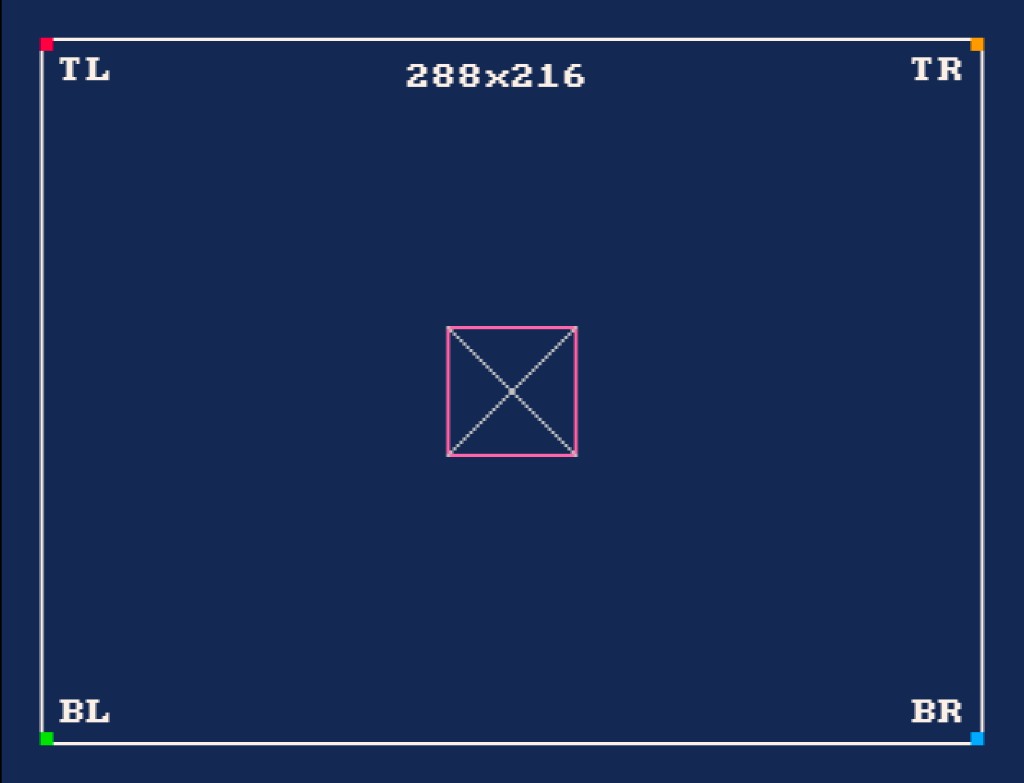
GoSprite64 exposes one official fixed resolution and drawing canvas: 288x216 logical pixels. The runtime centers that canvas and handles presentation scaling for you, so gameplay code should not manage borders, safe areas, or video-mode presets directly.
If you want to verify the fixed-resolution presentation visually, run examples/calibration/game.z64 in ares after the build. The expected calibration frame looks like this:
Windows
On Windows, install Git for Windows and run all commands from a Git Bash terminal. The same steps above apply - Git Bash provides the bash environment the build scripts require.
Linux Fallback
If the native bootstrap fails on your macOS host, ./build_examples.sh prints Linux fallback instructions and exits. Run the Linux fallback yourself:
docker run --rm --platform linux/arm64 \
  -v "$PWD:/workspace/gosprite64" \
  -v gosprite64-gomod:/go/pkg/mod \
  -v gosprite64-gobuild:/root/.cache/go-build \
  -v gosprite64-sdk:/root/sdk \
  -w /workspace/gosprite64 \
  golang:1.26-bookworm \
  bash ./scripts/dev-linux-build.sh
The generated *.z64 ROMs are written under examples/ and can be run with your emulator, for example ares. If you want to verify the square-pixel layout visually, start with examples/calibration/game.z64.